keyboard shortcuts
a non-exhaustive list
Visual Studio/VS Code
| keys | effect |
|---|---|
| ctrl+w | select word |
| ctrl+l | select line |
| Home / End | go to the beginning/end of the line |
| alt+up/down arrow | move line up/down |
| shift+alt+up/down arrow | copy line up/down |
| ctrl+delete/backspace | deletes word before/after |
| ctrl+k | comment |
| ctrl+shift+z or ctrl+y | redo |
| ctrl+f | find |
| F3 | find next |
| ctrl+h | find and replace |
| ctrl+enter | enter above |
| ctrl+tab | change working document |
| F12 | go to definition |
| shift+alt+f | format document |
| ctrl+shift+space | trigger parameter hints |
web browser
| keys | effect |
|---|---|
| ctrl+tab | change tabe forwards |
| ctrl+shift+tab | change tab backwards |
| middle click a link | opens in a new tab |
| middle click a tab | closes the tab |
| ctrl+number | jumps to that open tab |
| ctrl+t | opens new tab |
| ctrl+w | closes open tab |
| alt+arrow key | forwards or backwards |
| ctrl+(+) or (-) | zooms in or out |
| ctrl+0 | resets to default zoom |
| alt+d | selects url |
| ctrl+f | searh webpage |
| alt+e | opens hamburger |
| F5 | refresh |
| ctrl+F5 | refreshes page and redownloads cached files |
| ctrl+shift+t | restores closed tabs |
editing text
| keys | effect |
|---|---|
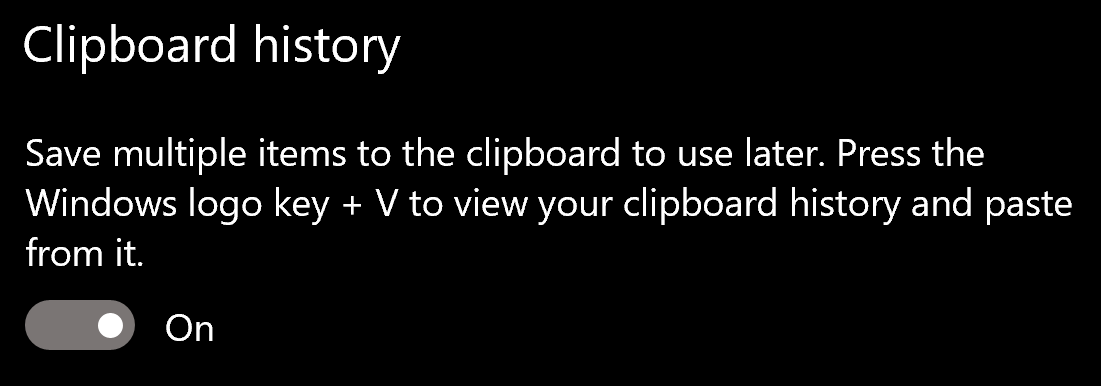
| gui+v | shows clipboard history (enable in settings first) |
| ctrl+shift+v | pastes as plaintext |
| ctrl+arrowkeys | jumps cursor through words |
| shift+arrowkeys | selects characters |
| ctrl+shift+arrowkeys | selects whole word |
| alt+F4 | closes active window |
| gui+; | opens emoji menu |
| shift+F10 | opens spellcheck selection (right clicks) |
definitely turn clipboard history on in windows settings